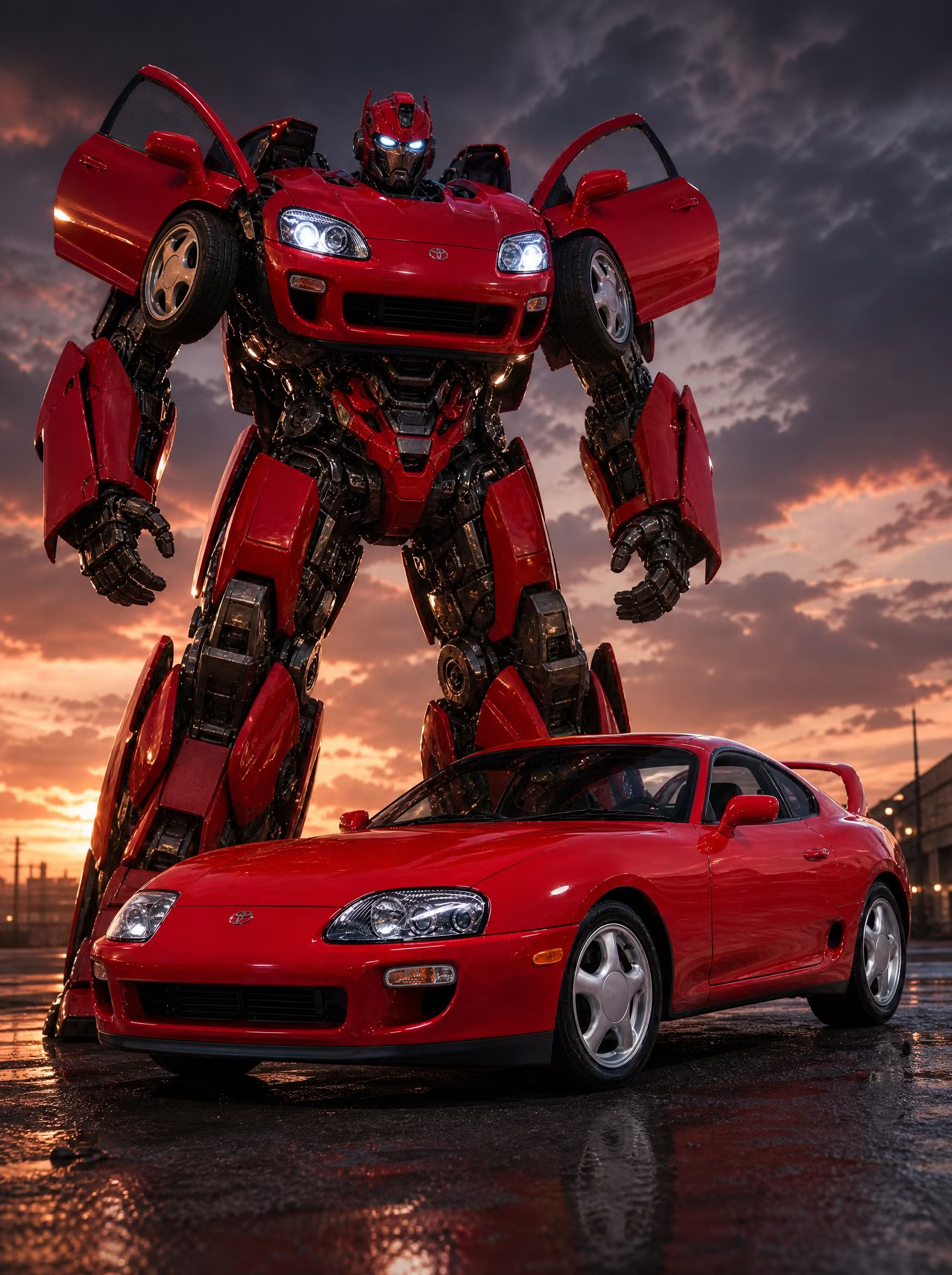
Robot Mode
20 CR · 4 PHOTOS · RENDERED ON YOUR CAR
Your car and its towering robot form side by side — same paint, same parts, heroic pose.
Tell the shop what to change about this look.
Robot Mode on your car
- Look
- Robot Mode
- Input
- one photo of your car
- Output
- a pack of stills
- Cost
- 20 credits
Park it and take one photo of your car in daylight, whole car in frame.
Pick Robot Mode. Your car and its towering robot form side by side — same paint, same parts, heroic pose.
Build it. A pack of stills comes back in a couple of minutes.
Questions about Robot Mode
- How do I see the Robot Mode look on my car?
- Upload one photo of your car, pick Robot Mode, then tap Build it. ModMyCar renders a pack of stills from your photo, so it is your car in the shot, not a stock body with a part pasted over it.
- What photo do I need for Robot Mode?
- Shoot your whole car, front three-quarter angle — daylight driveway photos work great.
- Is Robot Mode free?
- No. Robot Mode costs 20 credits. Credits are bought in packs, they do not expire, and there is no subscription. You can see the exact cost on the Build it button before you spend anything.
- What do I get back?
- A pack of stills, rendered at full resolution and ready to post. Renders usually finish in a couple of minutes.
- Is this the same as a 20 credits tool?
- Close enough that people search for it that way. Robot Mode covers 20 credits, autobot vibe, car robot and cheap. The difference is that most visualizers composite a part onto a generic car body, and this renders the mod onto the car in your photo.
Also built for: 20 credits, autobot vibe, car robot, cheap, low credits and mech.