The Background Is Half the Photo
Every car photo you've ever saved has two subjects: the car, and where it is. Same car, different street, completely different picture — a Supra in a parking garage is a Supra in a parking garage, and a Supra on the Mulholland overlook at dusk is a wallpaper.
The catch has always been that the second one costs a plane ticket.
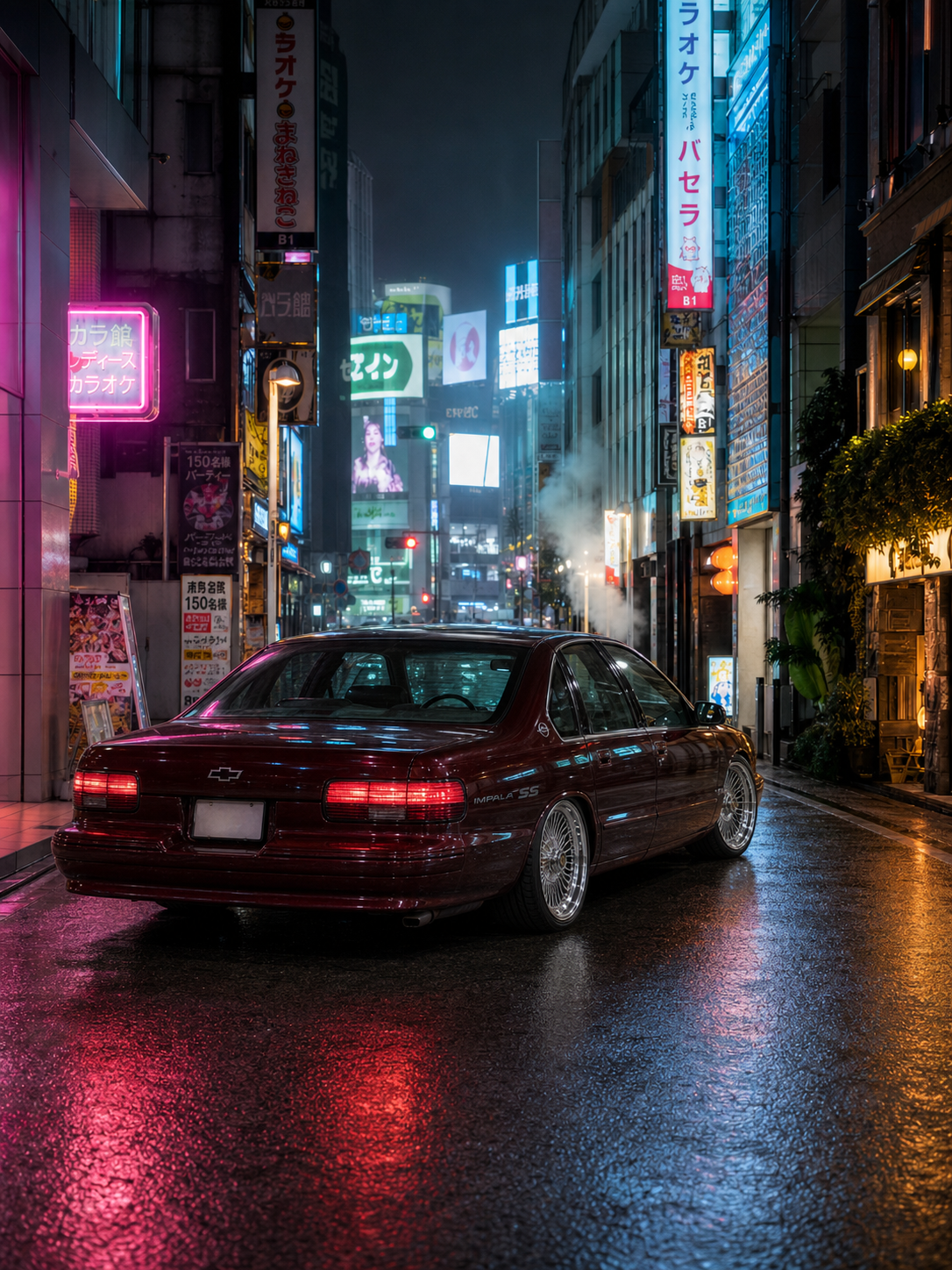
CITY: TOKYO · SHIBUYA BACKSTREET
One driveway photo of the Impala. The neon, the wet asphalt and the reflections down the flank are all render.
Not a Cut-Out on a Stock Photo
This is the part background-swap apps get wrong. Lift a car off its driveway, drop it on a picture of Tokyo, and your eye rejects it in about a tenth of a second — the light doesn't match, the shadow points the wrong way, and the car floats a few inches above a road it isn't touching.
A city look re-shoots the car instead of relocating it:
- The light comes from the city. Neon rakes across the paint in Shibuya. Monaco is hard Mediterranean noon. Paris is flat silver overcast after rain.
- The ground makes contact. Wet cobbles mirror the car back at you; dry asphalt doesn't. The shadow belongs to the sun that's actually in frame.
- The camera picks a side. Each city has its own angle — low and behind for the Tokyo neon corridor, wide and symmetrical on the Champs-Élysées so the whole Arc reads above the roof.
The Ten Cities
| City | The shot |
|---|---|
| New York | Dumbo cobbles, Manhattan Bridge dead center, hard midday sun |
| Tokyo | Rain-slicked Shibuya backstreet, neon down both walls |
| Paris | The Champs-Élysées, completely empty, Arc de Triomphe ahead |
| London | Tower Bridge at blue hour, towers lit |
| Los Angeles | The Mulholland overlook, the whole basin glittering below |
| Miami | Ocean Drive, Art Deco neon laid across the paint |
| Monaco | The hairpin, Monte Carlo stacked up behind |
| Dubai | The Burj Khalifa skyline at twilight |
| Hong Kong | Neon signage over a wet street |
| Amalfi Coast | The cliff road, Positano beyond the curve |
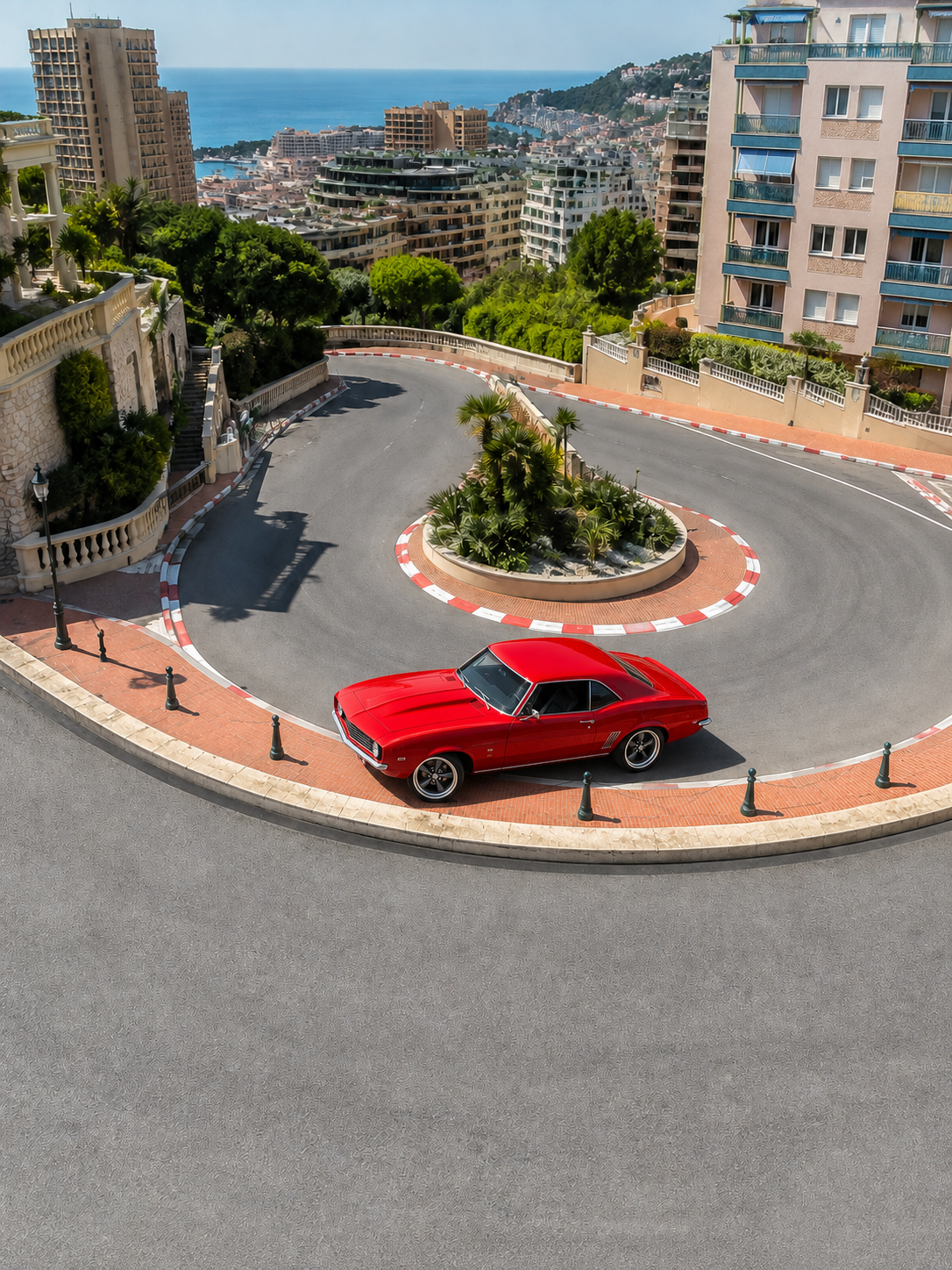
CITY: MONACO · THE HAIRPIN
The car that arrived for this one was a rusted barn-find Camaro. Restored, wrapped race red, then sent to Monaco.
Photo Set or Film
Every city runs both ways off the same upload:
- The photo set — 20 credits (~$1). Four angles in that location: front three-quarter, a wheel-level detail, a low hero, a full side profile.
- The film — 100 credits (~$5). Twelve seconds in the same city, cut across five shots, with the sound of the place under it.
VIDEO: TOKYO · 100 CR
The Shibuya version as a film — same car, same street, five cuts and the city underneath it.
VIDEO: MONACO · 100 CR
And the hairpin, in motion.
Take Your Car on Tour
Park it once and it can be in a different city every week — the same upload feeds all ten.
World Tour looks
Ten cities, one photo of your car. Four angles for 20 credits (~$1), or the 12-second film for 100 — the first set is covered by welcome credits.
Mod Studio
Build the car first — wheels, wrap, stance, body — then send that build on tour. Four angles per build, 20 credits.